
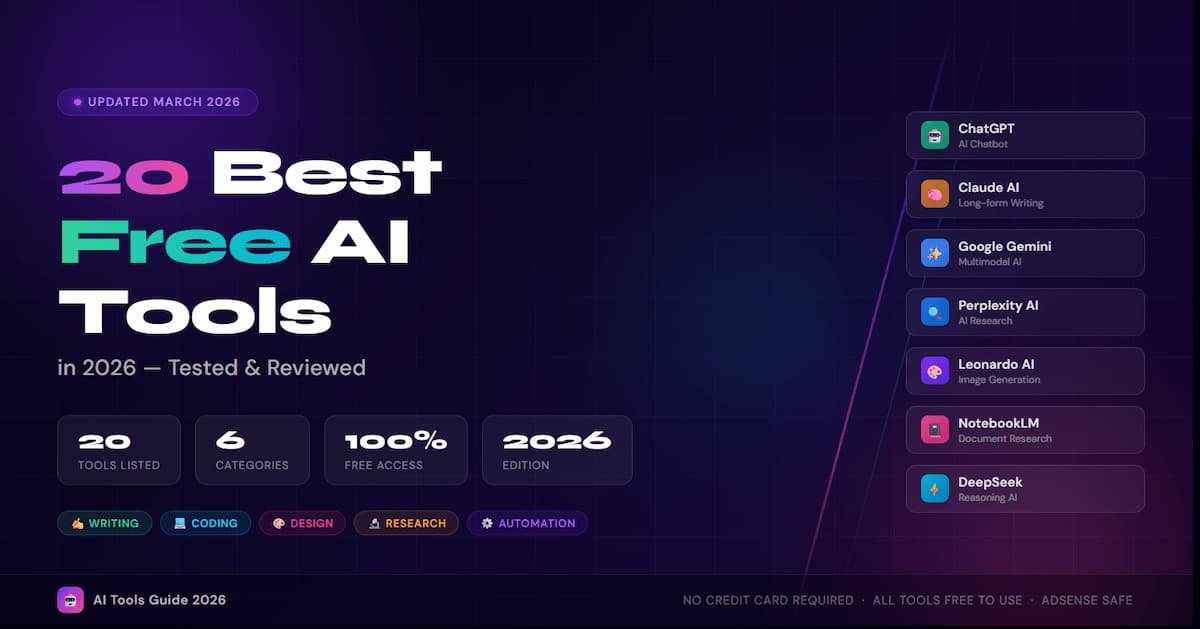
Artificial intelligence is no longer a luxury reserved for tech giants and enterprise teams. In 2026, some of the most powerful AI tools on the planet are completely free — and they are changing the way millions of people work, create, and learn every single day.
Whether you are a student, freelancer, marketer, developer, or entrepreneur, this guide covers the 20 best free AI tools in 2026 across every major category. Each tool has been evaluated for its free-tier value, ease of use, and real-world performance. The AI tools market has exploded in the last two years. New platforms launch weekly, each promising to revolutionize your workflow. But which ones actually deliver? And more importantly, which ones will not cost you a dime? We cut through the noise and handpicked 20 genuinely useful free AI tools — organized by category so you can find exactly what you need.
Category 1: AI Chatbots & Writing Assistants
AI chatbots and writing assistants are the entry point for most users discovering AI. The tools below cover everything from general-purpose conversation to in-depth document analysis.
1. ChatGPT (by OpenAI)
ChatGPT remains the world’s most recognized AI chatbot in 2026. Its free tier now runs on GPT-4o — a model capable of text generation, brainstorming, summarization, coding assistance, and more. Whether you need help drafting a cover letter, debugging Python code, or planning a trip, ChatGPT is your Swiss Army knife. The interface is beginner-friendly and works straight out of the box without any technical setup.
2. Claude (by Anthropic)
Claude by Anthropic is widely regarded as the best AI tool for handling long, complex documents. Drop in a 100-page research paper, a legal contract, or a messy set of notes — Claude analyzes, summarizes, and reasons through them with clarity and nuance. It excels at structured writing tasks, academic work, and producing content that feels genuinely thoughtful rather than formulaic. Its safety-focused design makes it a reliable partner for professional use.
3. Google Gemini
Google Gemini is the top choice for users deeply embedded in the Google ecosystem. It integrates natively with Gmail, Google Docs, Sheets, and Search, making it a productivity powerhouse for routine tasks. Ask it to draft an email from your inbox context, summarize a Google Doc, or pull current information from the web — Gemini handles it all smoothly. It also leads in multimodal tasks, combining text, image, and audio understanding.
4. DeepSeek
DeepSeek took the AI world by surprise in early 2025 and has continued to impress in 2026. Its open-source models, particularly DeepSeek-R1, offer chain-of-thought reasoning that rivals much more expensive commercial models. For users who need step-by-step logic, math problem solving, or complex code generation, DeepSeek is an outstanding free option that punches well above its price point.
5. Perplexity AI
Perplexity AI reimagines the search engine for the AI era. Instead of a list of links, it delivers direct, sourced answers with clickable citations you can verify. It is especially powerful for research, fact-checking, and staying up to date on fast-moving topics. Every response comes with references so you can trust the information and dig deeper. For journalists, students, and researchers, Perplexity is transformative.
Category 2: AI Image Generation Tools
Creating high-quality visuals no longer requires a design degree or expensive software. These free AI image generators produce professional results for social media, marketing, and creative projects.
6. Leonardo AI
Leonardo AI stands out as the most generous free image generation platform in 2026. Users receive 150 free tokens every day, enough to create 50 or more high-quality images using a choice of powerful models including Phoenix and Flux. Its interface includes an image editor, canvas tools, and the ability to train custom models — features that most competitors lock behind a paywall. Whether you are creating social media content, product mockups, or digital art, Leonardo delivers stunning results for free.
7.Ideogram AI
Ideogram solves one of the oldest frustrations in AI art: rendering readable text inside images. While other models mangle letters and words, Ideogram produces clean, accurate typography within generated visuals. This makes it indispensable for creating posters, logos, thumbnails, marketing banners, and social graphics. Beyond text, its image quality is excellent — slightly behind Midjourney aesthetically, but far ahead in typographic accuracy and entirely free to start.
8.Adobe Firefly (Free Tier)
Adobe Firefly brings professional-grade AI image generation to the browser, with a key advantage over competitors: it is trained exclusively on licensed and public domain content, making its outputs commercially safe. For businesses and creators concerned about copyright, this is a game-changer. The free plan offers a monthly credit allowance that covers most light users, with features like Generative Fill, Text Effects, and style matching built in.
Category 3: AI Coding Assistants
AI coding assistants have become essential tools for developers at every skill level. These free options integrate directly into popular editors and dramatically speed up software development.
9. GitHub Copilot (Free for Individuals)
GitHub Copilot’s free plan gives individual developers access to AI-powered code completion, inline chat, and suggestions directly inside VS Code and other popular IDEs. It supports dozens of programming languages and dramatically speeds up development by autocompleting functions, catching bugs, and explaining unfamiliar code. For any developer not yet using an AI coding assistant, this is the obvious first stop.
10. Gemini Code Assist
Google’s Gemini Code Assist is available at no cost for individual developers and integrates directly with VS Code and JetBrains IDEs. It provides code completion, generation, and chat within your editor and is backed by Google’s Gemini models. For developers already using Google Cloud or Firebase, it offers deeply contextual suggestions aware of your entire codebase architecture.
Category 4: AI Research & Productivity Tools
Productivity AI tools save hours of manual work every week. From summarizing documents to transcribing meetings, these tools handle the repetitive tasks so you can focus on meaningful work.
11. Google NotebookLM
NotebookLM is arguably the most powerful free research tool available in 2026. Unlike a generic chatbot, it lets you upload your own sources — PDFs, websites, YouTube videos, audio files — and creates an AI expert grounded exclusively in that material. You can generate summaries, study guides, flashcards, and even an Audio Overview that turns your documents into a podcast-style conversation between two AI hosts. Its free tier supports up to 100 notebooks, 50 sources per notebook, and 500,000 words per source.
12.Notion AI
Notion already dominates the productivity space as a flexible workspace for notes, tasks, databases, and wikis. In 2026, its built-in AI layer enhances every corner of that workspace — drafting meeting notes, summarizing pages, writing action items from documents, and auto-filling database fields. The AI feels native and seamless, not bolted-on, and that integration makes it one of the most practical free AI tools for teams and solopreneurs alike.
13. Gamma AI
Gamma AI generates visually polished presentations, documents, and web pages from a simple text prompt in under a minute. Unlike generic slide generators, Gamma maintains visual cohesion across all slides — consistent fonts, colors, and layouts that look professionally designed. Specify your audience, tone, and format, and Gamma builds the structure automatically. It also creates landing pages and documents with the same design-first approach, saving hours of formatting work.
14. Fathom AI (Meeting Notetaker)
Fathom automatically records, transcribes, and summarizes your Zoom, Google Meet, and Microsoft Teams calls. After every meeting, it delivers a clean summary with key decisions, action items, and notable moments — often ready within seconds of the call ending. For remote workers, sales teams, and consultants who spend hours in meetings, Fathom eliminates manual note-taking entirely. Its free plan is genuinely functional and not crippled with artificial limits.
Category 5: AI Design & Content Creation
Content creators and marketers now have access to a powerful suite of free AI tools for generating images, designing visuals, producing music, and creating professional voiceovers.
15. Canva AI (Magic Studio) [Design / Content Creation]
Canva has quietly transformed from a template tool into a full AI creative operating system in 2026. Its Magic Studio brings together AI writing, background removal, image generation, text-to-video, and auto-design suggestions — all inside one interface. For non-designers creating social posts, infographics, presentations, and marketing materials, Canva’s free tier offers more value than many paid subscriptions. It effectively replaces a bundle of separate creative tools at zero cost.
16. Suno AI (Music Generation) [Audio / Music Generation]
Suno AI lets anyone create original, full-length songs — complete with vocals, instruments, and production quality — from a simple text prompt. No music theory knowledge is required. Describe a mood, genre, or scenario, and Suno generates a track that sounds like a real recording. Content creators, game developers, podcasters, and marketers use it to produce royalty-free background music, jingles, and theme songs that would otherwise cost hundreds of dollars.
17. ElevenLabs (Text-to-Speech) [Audio / Voice Generation]
ElevenLabs produces the most natural-sounding AI voices available in 2026, with fine control over tone, pace, emotion, and accent. It is used by YouTubers for voiceovers, publishers for audiobook production, app developers for voice interfaces, and educators for e-learning content. The free tier is suitable for hobbyists and small projects, while the quality it produces consistently astonishes first-time users. Converting text to speech has never sounded this human.
Category 6: AI Automation & Agents
AI agents and automation tools represent the next frontier of productivity. These tools handle multi-step workflows independently, acting as a digital assistant that works in the background 24/7.
18. Zapier AI (Agents & Automation) [Automation / AI Agents]
Zapier Agents combine the power of large language models with Zapier’s connections to over 8,000 apps. You can build AI agents that autonomously monitor your inbox, update your CRM, summarize Slack messages, and trigger workflows — all without writing code. Think of it as a mini digital employee working in the background. The chatbot interface makes setup intuitive even for non-technical users, and the free tier is a solid starting point for basic automations.
19. n8n (Open-Source AI Automation) [Automation / Developer Tools]
n8n is the open-source alternative to Zapier for developers who want full control over their AI automation workflows. You can self-host it for free and build complex multi-step AI pipelines that connect APIs, databases, and AI models — with no per-task fees. In 2026, n8n has emerged as a favourite among technical teams building RAG pipelines, AI customer support bots, and data enrichment workflows. If you have basic coding skills, the ceiling for what you can build is virtually limitless.
20. Grok (by xAI) [Chatbot / Real-Time Information]
Grok, xAI’s AI assistant, has a distinctive edge in 2026: real-time access to the X (formerly Twitter) platform, giving it a live pulse on breaking news, trending topics, and public conversations. For social media managers, journalists, and anyone needing hyper-current information, Grok delivers context that older-trained models simply cannot. Its personality is conversational and direct, and it handles general-purpose tasks — writing, analysis, Q&A — competently alongside its unique real-time strengths.
Pro Tips: Getting the Most from Free AI Tools
Knowing which tools exist is only half the battle. Here is how to get maximum value from your free AI toolkit in 2026:
- Stack tools strategically: Use Perplexity for research, Claude for writing, and Canva for design — each free tool has a lane where it excels most.
- Use specific prompts: ‘Write a 150-word product description for a waterproof hiking boot targeting trail runners’ outperforms the generic ‘write product description’ every time.
- Watch your usage limits: Most free tiers reset daily or monthly. Plan heavy usage around these resets to avoid hitting caps at critical moments.
- Combine AI with human review: AI drafts save significant time, but always review outputs for accuracy, tone, and brand voice before publishing or submitting.
- Self-host when possible: For tools like n8n and open-source AI models, self-hosting eliminates usage limits and gives you full data privacy.
- Create a personal AI stack: The most productive professionals in 2026 do not rely on one AI tool — they maintain a curated toolkit of 4-6 specialized tools that cover all their workflow needs.
Quick Reference: All 20 Tools at a Glance
Use this table to find the right tool for your specific need at a glance.
| Sr. No. | Tool | Best For | Category | Free Tier |
| 01 | ChatGPT | General-purpose AI, writing, coding | Chatbot | Freemium |
| 02 | Claude | Long documents, reasoning, analysis | Chatbot | Freemium |
| 03 | Google Gemini | Google ecosystem, multimodal tasks | Chatbot | Freemium |
| 04 | DeepSeek | Math, complex reasoning, code | Chatbot | Free |
| 05 | Perplexity AI | Research, sourced answers | Search AI | Freemium |
| 06 | Leonardo AI | Image generation, digital art | Image Gen | Freemium |
| 07 | Ideogram AI | Text-in-image, posters, banners | Image Gen | Freemium |
| 08 | Adobe Firefly | Commercial-safe image creation | Image Gen | Freemium |
| 09 | GitHub Copilot | Code completion in IDE | Coding | Freemium |
| 10 | Gemini Code Assist | Code, Google Cloud projects | Coding | Free |
| 11 | NotebookLM | Document research, study guides | Research | Free |
| 12 | Notion AI | Productivity, team notes, wikis | Productivity | Freemium |
| 13 | Gamma AI | Presentations and web documents | Productivity | Freemium |
| 14 | Fathom AI | Meeting notes and summaries | Productivity | Free |
| 15 | Canva AI | Design, social content creation | Design | Freemium |
| 16 | Suno AI | AI music and song generation | Audio | Freemium |
| 17 | ElevenLabs | Text-to-speech, voiceovers | Audio | Freemium |
| 18 | Zapier AI | No-code AI workflow automation | Automation | Freemium |
| 19 | n8n | Developer automation pipelines | Automation | Free (self-host) |
| 20 | Grok | Real-time social media insights | Chatbot | Freemium |
Conclusion: The AI Revolution Is Free
The common belief that powerful AI requires expensive subscriptions is outdated. In 2026, the free tiers offered by tools like NotebookLM, DeepSeek, Leonardo AI, Fathom, and n8n are genuinely capable — not stripped-down previews designed to frustrate you into upgrading.
The smartest strategy is to build a personalised AI toolkit: one chatbot for thinking and writing, one for research, one for images, and one for automation. The 20 tools in this guide cover every major workflow a modern professional encounters — and most can be used together without spending anything.
Start with one or two that match your immediate needs, master their free tiers, and expand your stack from there. The only risk? Wondering why you did not start sooner.
Frequently Asked Questions (FAQ)
1. Are these AI tools really free, or do they require a credit card?
All 20 tools listed here offer genuinely free tiers that do not require a credit card to get started. Some are fully free (like NotebookLM, DeepSeek, and Fathom), while others are freemium — meaning the basic plan is free and a paid tier exists for heavy usage or advanced features.
2. Which free AI tool is best for students in 2026?
Google NotebookLM is the top pick for students in 2026. It lets you upload your textbooks, lecture notes, and research papers, then creates a personalized AI tutor grounded in that exact material. Perplexity AI is also excellent for cited research and fact-checking assignments.
3. Can I use free AI image generators for commercial purposes?
It depends on the tool. Adobe Firefly is specifically trained on licensed content, making its outputs commercially safe. Leonardo AI and Ideogram require you to check their usage terms — free-tier images may have restrictions on commercial use. Always review each platform’s terms before using generated images for business purposes.
4. What is the best free AI tool for coding beginners?
GitHub Copilot’s free individual plan is the best starting point for coding beginners. It works inside VS Code and suggests code completions in real-time, helping newcomers learn by seeing functional code examples as they type. ChatGPT is also excellent for explaining errors and teaching programming concepts in plain language.
5. Will these free AI tools improve in 2026?
Almost certainly. Competition between AI companies has driven a rapid expansion of free-tier offerings over the past two years. Tools that were paid-only in 2024 are now free in 2026, and that trend shows no signs of slowing. Bookmark this guide and revisit regularly for updates.
Related Articles: